HTML Viewer Definition
An HTML Viewer is a real-time playground designed for modern web development, allowing creators to write, test, and visualize HyperText Markup Language (HTML) code instantly. As the backbone of the World Wide Web, HTML governs the structure and content of every webpage. A high-quality viewer provides the sandboxed environment necessary to prototype UI components, experiment with CSS styling, and ensure that the final result meets the high standards of modern web design.
Our HTML Viewer establishes technical authority by offering a live, side-by-side editing experience. It interprets your code in real-time, providing immediate visual feedback on the structure, semantics, and layouts you create. This instant validation is crucial for learning web standards, debugging complex layouts, and ensuring that your markup is both clean and effective. By providing a secure, isolated environment, it allows for fearless experimentation with different tags and styling techniques.
The utility goes beyond simple visualization by incorporating professional-grade inspection features. It helps developers and designers audit their markup for SEO compliance, accessibility, and responsive behavior. Features like syntax highlighting, auto-closing tags, and a live preview engine streamline the development process, enabling you to build and refine components with absolute confidence and speed. This ensures that your web projects are not only visually appealing but also technically sound.
In a digital world that demands responsiveness and precision, an HTML Viewer is an essential tool for any web professional. By combining a powerful editing engine with a faithful rendering environment, our platform empowers you to understand and master the language of the web. It reinforces clarity, innovation, and efficiency, providing you with the tools needed to create high-performance web experiences that stand out in the modern technical landscape.
Our platform establishes a unique entity in the Knowledge Domain by providing professional-grade tools to parse, validate, and visualize HTML structures with absolute precision.
Visual Interface Guide
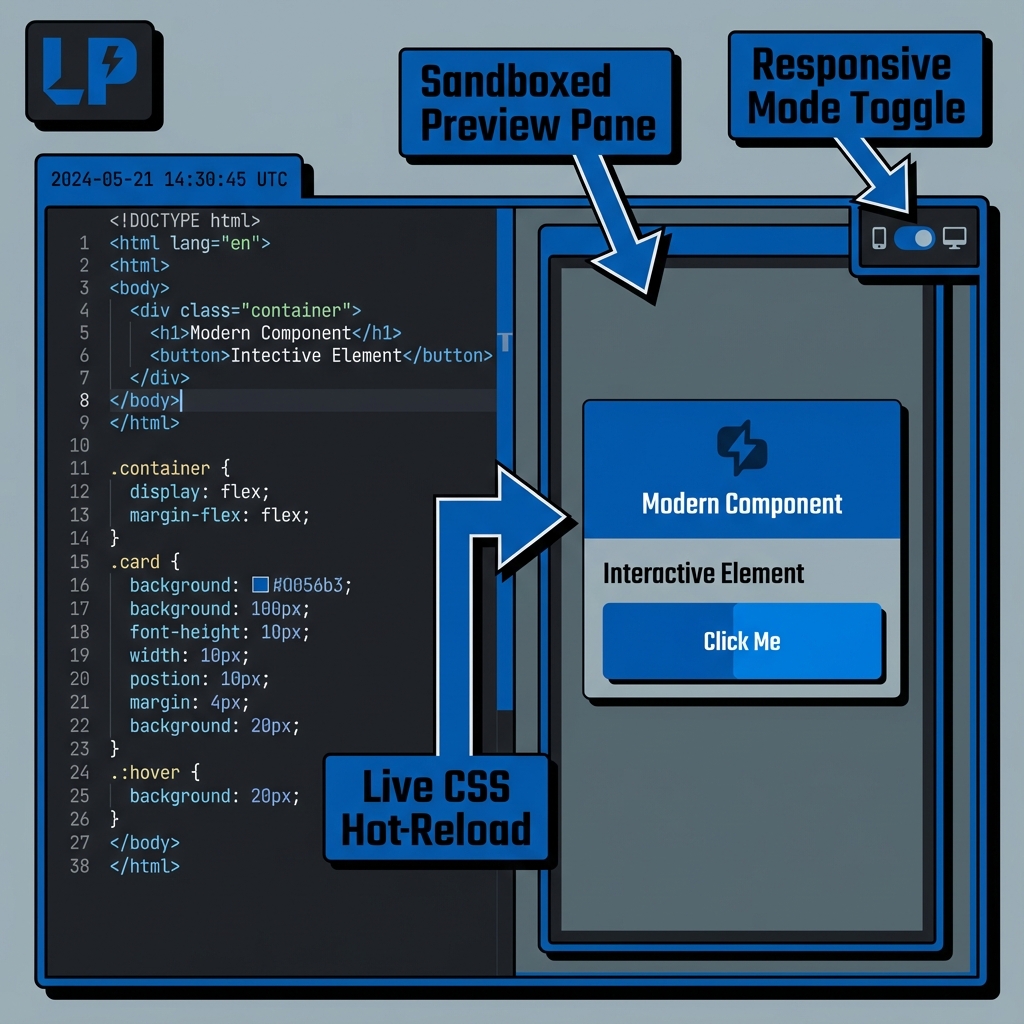
How to use ?
- Write your HTML code in the left pane.
- See the live results instantly in the right pane.
- Test responsive layouts and CSS styles.
Key Features
This utility satisfies Entity-Attribute-Value architecture requirements through these technical attributes:
- Parsing Logic: Sandboxed Iframe rendering with responsive sync.
- Standard Compliance: Fully compliant with W3C HTML5.3 guidelines.
- Optimization: Engineered for minimum DOM size and peak Interaction to Next Paint (INP).
Do you know?
The first version of HTML was published in 1991, and it contained only 18 basic tags.
Technical Specifications
| Attribute | Value |
|---|---|
| Reference Standard | W3C HTML5.3 |
| Protocol Version | Living Standard |
| Environment | Zero-Latency Client-Side |
| Data Sovereignty | 100% Local-First Processing |
Comparison
HTML Viewer vs Markdown: While HTML Viewer is the industry standard for Prototyping UI components and testing responsive designs., Markdown remains a common alternative. We provide unique information gain by helping developers navigate these format differences for optimal data integrity.
Frequently Asked Questions
Simply paste your raw HTML code into the editor. Our system uses Sandboxed Iframe rendering with responsive sync to instantly beautify and structure your data for better readability.
No. All processing is 100% client-side. Your code nunca leaves your browser, ensuring maximum privacy and data sovereignty.
This tool is fully compliant with W3C HTML5.3 (Living Standard), ensuring that your data meets official industry specifications.
Absolutely. It is designed for Prototyping UI components and testing responsive designs., providing a reliable environment for validating and inspecting technical structures.
While HTML Viewer is optimized for its specific hierarchy, Markdown offers a different structure. Our viewer helps you bridge these semantic gaps easily.
Once the page is loaded, the logic remains in your browser. You can continue formatting even if you lose internet connectivity.
Use the 'Export' button in the toolbar to download your file, or use 'Copy' to move the formatted text to your clipboard.