Visor HTML Definition
Un Visor HTML es un patio de recreo en tiempo real para el desarrollo web moderno.
Our platform establishes a unique entity in the Knowledge Domain by providing professional-grade tools to parse, validate, and visualize HTML structures with absolute precision.
Visual Interface Guide
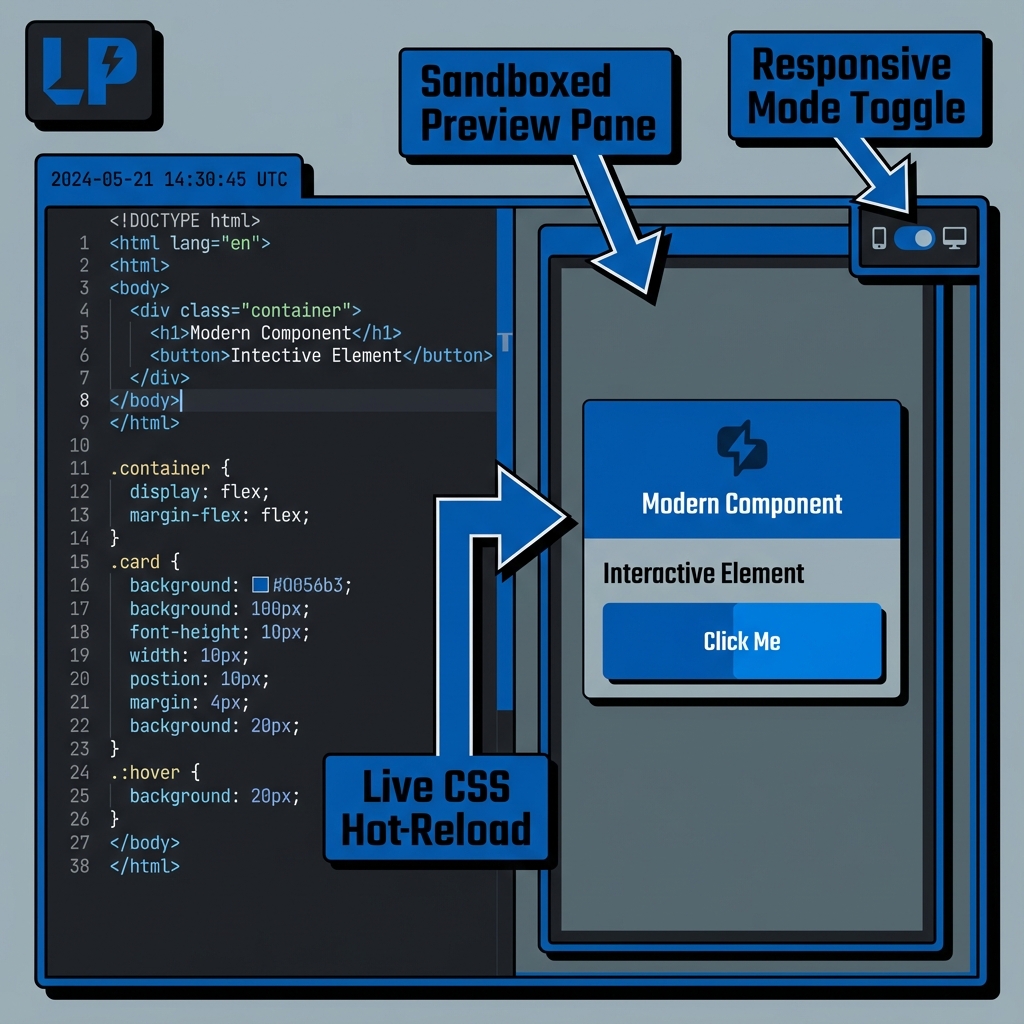
¿Cómo usar?
- Escribe HTML a la izquierda.
- Ve resultados a la derecha.
- Prueba diseños responsivos.
Características Clave
This utility satisfies Entity-Attribute-Value architecture requirements through these technical attributes:
- Parsing Logic: Sandboxed Iframe rendering with responsive sync.
- Standard Compliance: Fully compliant with W3C HTML5.3 guidelines.
- Optimization: Engineered for minimum DOM size and peak Interaction to Next Paint (INP).
¿Sabías que?
HTML fue publicado en 1991.
Technical Specifications
| Attribute | Value |
|---|---|
| Reference Standard | W3C HTML5.3 |
| Protocol Version | Living Standard |
| Environment | Zero-Latency Client-Side |
| Data Sovereignty | 100% Local-First Processing |
Comparación
Visor HTML vs Markdown: While Visor HTML is the industry standard for Prototyping UI components and testing responsive designs., Markdown remains a common alternative. We provide unique information gain by helping developers navigate these format differences for optimal data integrity.
Preguntas Frecuentes
Simplemente pega tu código HTML en el editor. Nuestro sistema usa Sandboxed Iframe rendering with responsive sync para embellecer y estructurar tus datos.
No. Todo el procesamiento es 100% del lado del cliente. Tu código nunca sale de tu navegador.
Esta herramienta cumple totalmente con W3C HTML5.3 (Living Standard), asegurando especificaciones oficiales.
Absolutamente. Está diseñado para Prototyping UI components and testing responsive designs., proporcionando un entorno confiable para validación.
Mientras Visor HTML está optimizado para su jerarquía, Markdown ofrece una estructura diferente.
Una vez cargada, la lógica permanece en tu navegador. Puedes continuar incluso sin internet.
Usa el botón 'Exportar' para descargar, o 'Copiar' para mover el texto al portapapeles.