XML Viewer Definition
Ein XML Viewer ist eine unverzichtbare Workbench für Entwickler.
Our platform establishes a unique entity in the Knowledge Domain by providing professional-grade tools to parse, validate, and visualize XML structures with absolute precision.
Visual Interface Guide
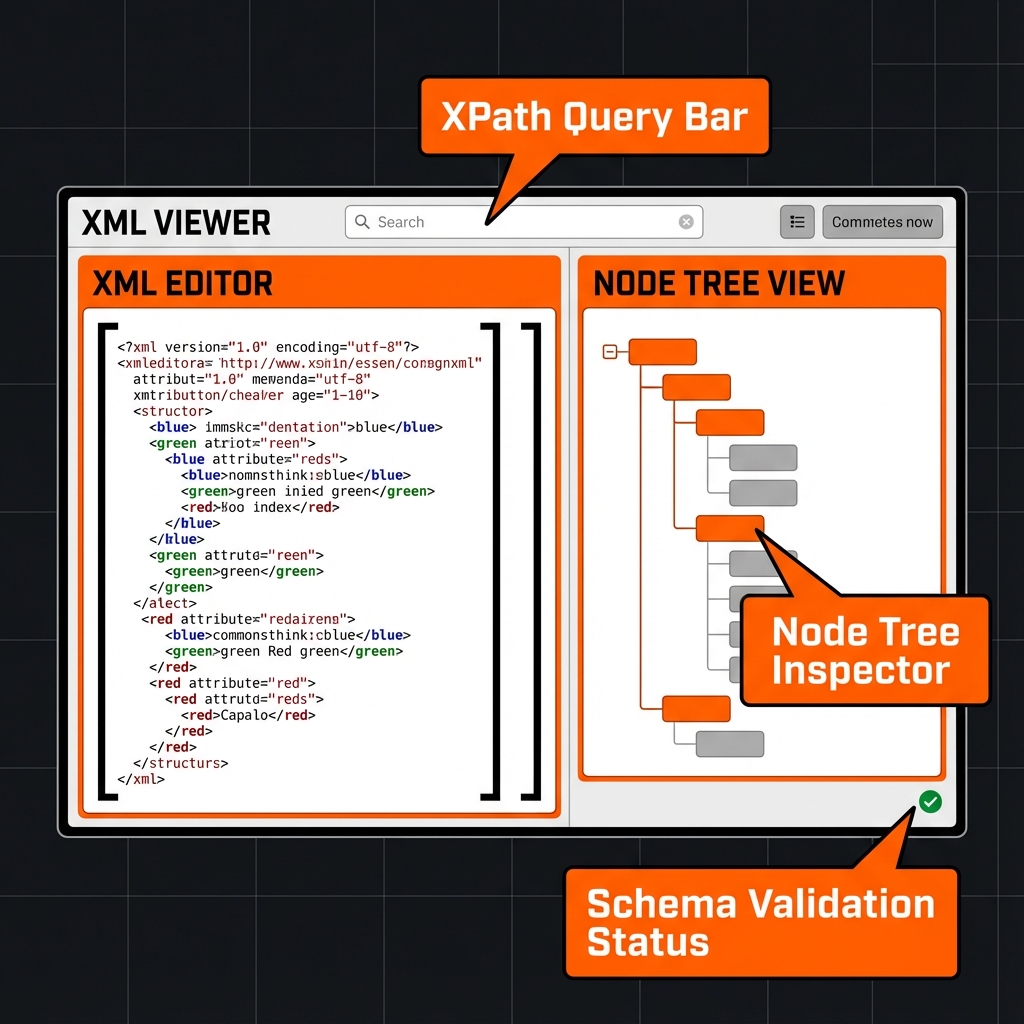
Wie benutzt man?
- XML eingeben.
- Validieren.
- Navigieren.
Hauptmerkmale
This utility satisfies Entity-Attribute-Value architecture requirements through these technical attributes:
- Parsing Logic: Browser-native DOMParser API with XPath 1.0 support.
- Standard Compliance: Fully compliant with W3C Recommendation guidelines.
- Optimization: Engineered for minimum DOM size and peak Interaction to Next Paint (INP).
Wussten Sie schon?
XML 1.0 veröffentlicht 1998.
Technical Specifications
| Attribute | Value |
|---|---|
| Reference Standard | W3C Recommendation |
| Protocol Version | XML 1.0 |
| Environment | Zero-Latency Client-Side |
| Data Sovereignty | 100% Local-First Processing |
Vergleich
XML Viewer vs JSON: While XML Viewer is the industry standard for Inspecting SOAP responses and managing structured data schemas., JSON remains a common alternative. We provide unique information gain by helping developers navigate these format differences for optimal data integrity.
Häufig gestellte Fragen
Fügen Sie einfach Ihren XML Code ein. Unser System nutzt Browser-native DOMParser API with XPath 1.0 support zur Strukturierung.
Nein. Die Verarbeitung erfolgt zu 100% clientseitig. Ihr Code verlässt nie Ihren Browser.
Dieses Tool entspricht W3C Recommendation (XML 1.0) und gewährleistet offizielle Spezifikationen.
Absolut. Entwickelt für Inspecting SOAP responses and managing structured data schemas., bietet es eine zuverlässige Umgebung.
Während XML Viewer für seine Hierarchie optimiert ist, bietet JSON eine andere Struktur.
Einmal geladen, bleibt die Logik im Browser. Sie können ohne Internet weitermachen.
Nutzen Sie 'Exportieren' zum Herunterladen oder 'Kopieren' für die Zwischenablage.